
Tulip-AMYsynth-AMYboard-JUNO6
Recently got an Tulip creative computer whilst waiting for an AMYboard synth. The blog outlines first try-outs and compares AMYsynth Juno 6 emulation with a real Juno 6
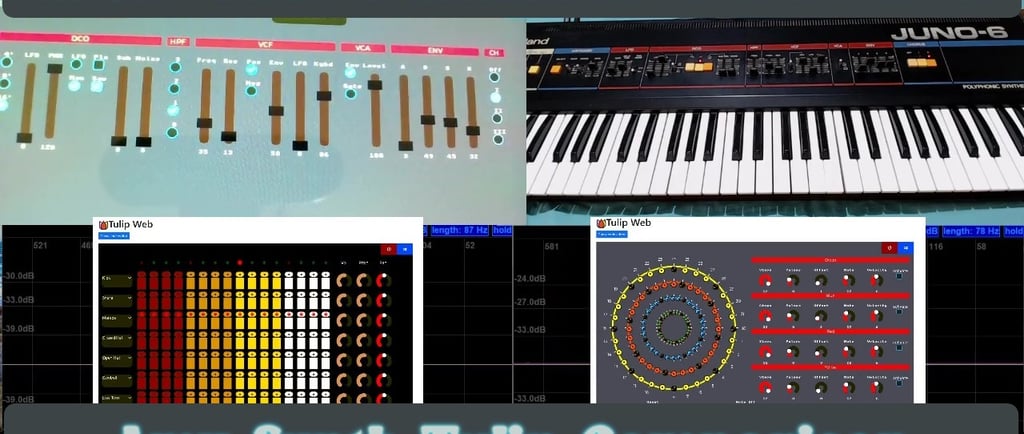
Tulip Creative Computer, AMYsynth and AMYboard
I've recently been looking into music synthesizer code libraries for the Arduino and STM32 microcontrollers. I've used the MOZZI library before https://sensorium.github.io/Mozzi/ which is really good, but I recently noticed the Amy synthesizer library https://github.com/shorepine/amy . This library looks really good as well, and it also seems to include pretty good emulations of the Roland Juno 6 and the Yamaha DX7, which is a good bonus. Anyway after looking into the code, I found out that the developers have also created some stand-alone hardware called the AMYboard that can run it https://www.amyboard.com/, it's also available for a very good price. (I'm an Electronics Engineer and would be hard pressed to make a prototype for the same). So I went ahead and ordered an AMYboard, but noticed that there was a bit of a lead time, however, I also noticed that there was a Tulip Creative Computer available https://tulip.computer/ . Now, this can do most of the things that the AMYboard can do in terms of sound generation. So I ordered one, which arrived quickly, and while I waited for the AMYboard, I decided to do a comparison of the Juno 6 emulator with a real Juno 6. I've done some quick YouTube videos of my first try-outs with the Tulip Creative Computer and AMYsynth. I'll do a video of the AMYboard when I get it.
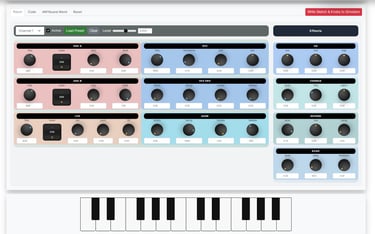
A really good feature of the Tulip Creative Computer and the AMYboard is that they both have very good online emulators. Which means that you can try them out before committing to buying the hardware. The emulator for the AMYbaord can also be used to edit patches on the hardware. They both also have options for midi in and midi out, just in case you have a usb midi keyboard. I've found so far that the online emulator is very good for trying out things on the Tulip computer before transferring to the hardware. The emulators can be found by going to the respective tulip or AMY board links. https://tulip.computer/ https://www.amyboard.com/ after opening the page you should see a button for "Try Tulip on the Web" or "Try It Online". The online emulator screenshots are shown below.
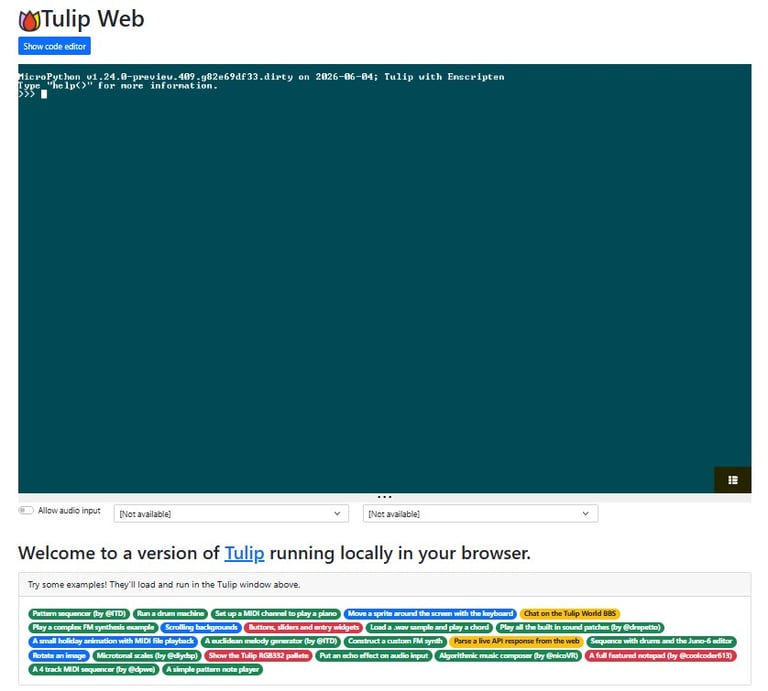
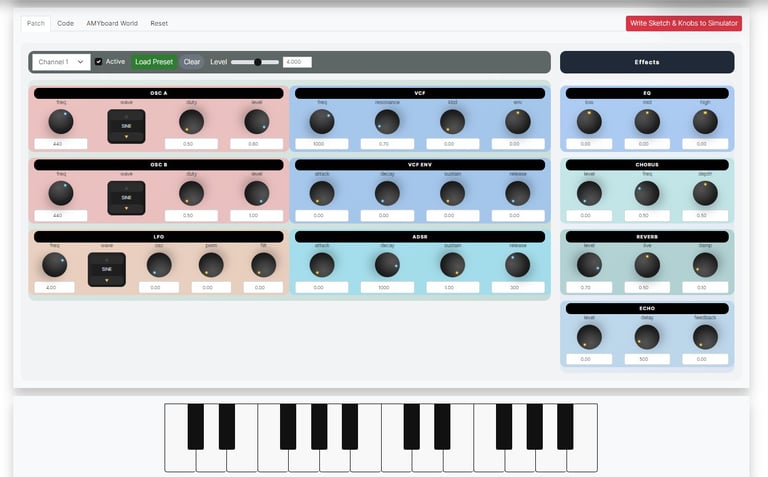
Tulip Creative Computer, online emulator screen
AMYboard, online emulator screen
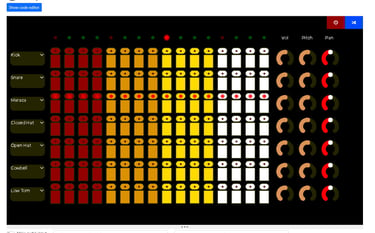
As mentioned above, I'm still waiting to get an AMYboard, so I'll have to wait to give do an evaluation. But I'm planning to use it to interface to some modular synthesizer gear. I believe that both the AMYboard and Tulip board running the AMYsynth code have some built in code applications, including Juno 6, DX7 and sequencer emulations. The Tulip creative computer comes pre-installed with user interface applications for the Juno 6 and a 808 style drum machine it also includes an application called "Voices" that can be used for multi-timbral Juno 6 and DX7 patches. It also has an option for "custom patches" although I haven't looked at this in detail yet. Note that you can also write AMY synthesizer code and commands directly i.e. without having to use a GUI. The details for the API to do this are on the GitHub pages.
Screenshots for the Juno 6, Voices and drum machine applications are shown below.
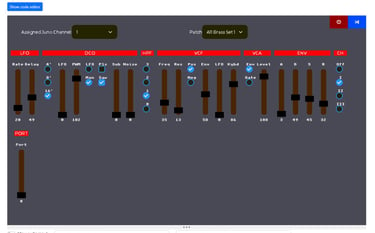
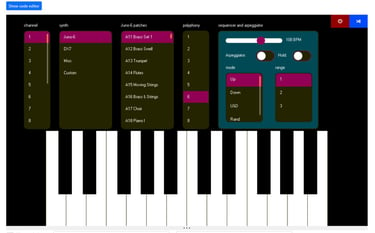
There also seems to be a lot of other apps, including sequencers and other synths available for the Tulip creative computer. Some of them can be tried out on the online emulator.
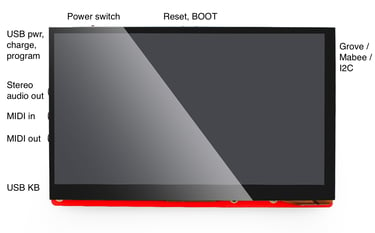
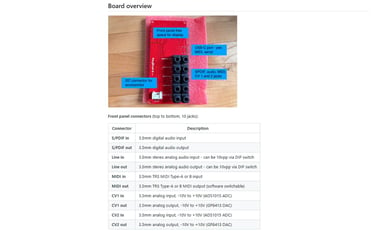
Just for completeness, the images for the different hardware of the Tulip Creative Computer, and the AMYboard are shown below. Obviously the Tulip has a 7 inch touchscreen and is more focussed towards direct programming. You can add further input and outputs using the I2C connector. So it is possible to add CV outputs and inputs (amongst other things). You can also connect an AMYboard to the Tulip board. This would allow the AMYboard to take up the audio processing burden, a thing that I want to try out when I get the chance. The AMYboard is more geared up for headless operation and connection to other hardware, so it has CV ins and outs included as standard. Although you can add extra I/O's as well.
So after getting the Tulip Creative Computer I decided to try out a couple of things straight away.
The first was to do a rough comparison of the Juno 6 emulator with a real Juno 6. Whilst I didn't spend a great deal of time tuning the real Juno 6 to match the presets I was using on the emulator, I was still quite happy with the results. I think with a bit more effort really good matches could be made.
The second thing I wanted to try out was multi-timbral operation. For this, I used the "Voices" app and set a different patch for each of four midi channels. The Tulip seemed to cope OK with this setup. I had a couple of glitches or crashes. But I think this was more to do with me trying to send too many messages over midi (midi conflicts).
Links to the videos of both tryouts are below....... and if you get the chance please support, like, subscribe. Thanks.


Help me proceed with anything on this site.
If you like what I'm doing, please feel free to support me and keep this site alive.